Modelo de roteiro de video: formato gratis para copiar e produzir mais rapido
Um modelo pratico para videos do YouTube, demos de produto, explicativos e anuncios curtos sem comecar do zero.

Sumario
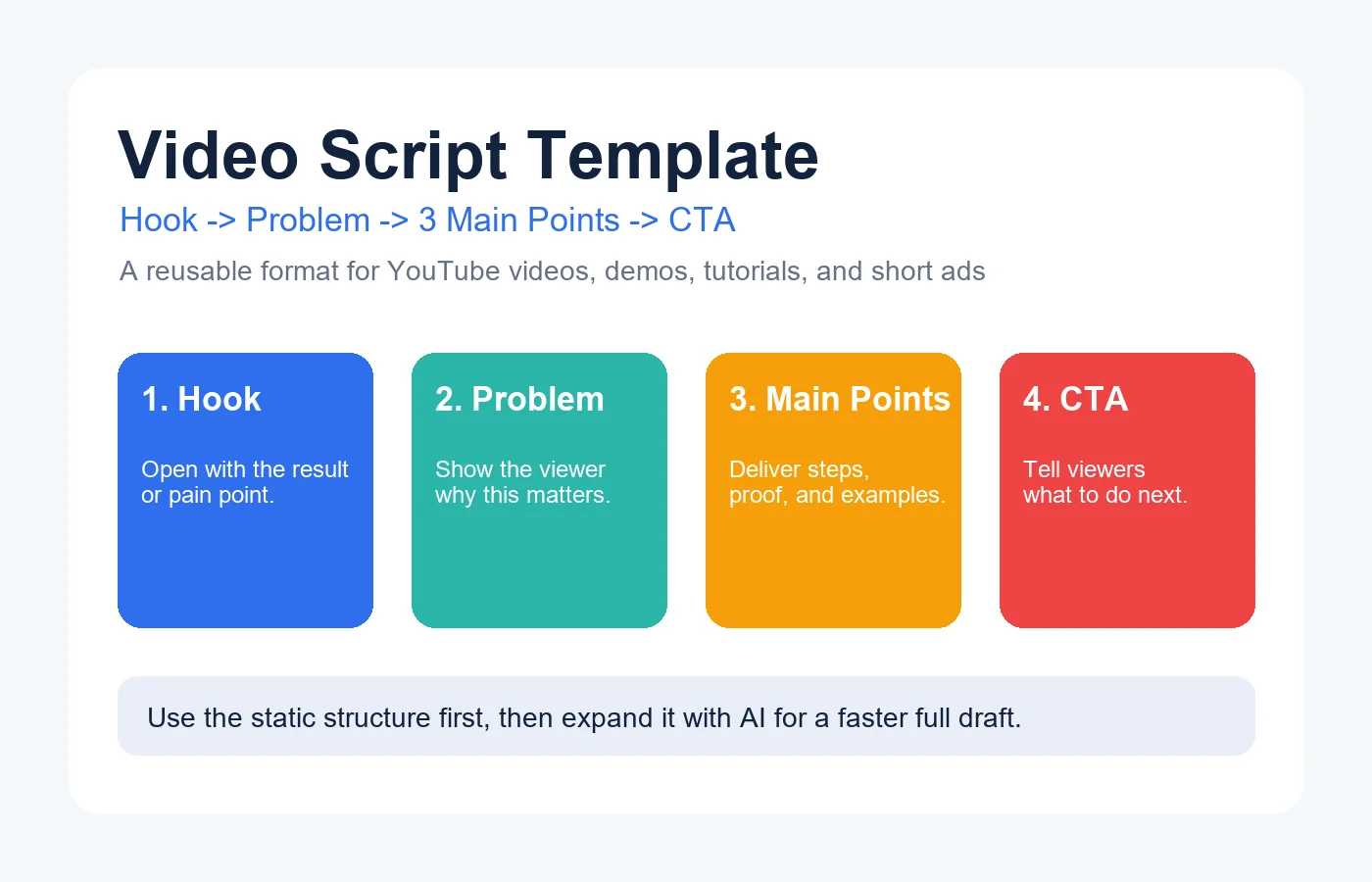
Quem procura um modelo de roteiro de video normalmente ja conhece o tema, mas nao quer gastar tempo decidindo como abrir, organizar e fechar o video.
E exatamente por isso que os modelos funcionam: eles eliminam a pagina em branco e ainda deixam espaco para voz, exemplos e CTA.
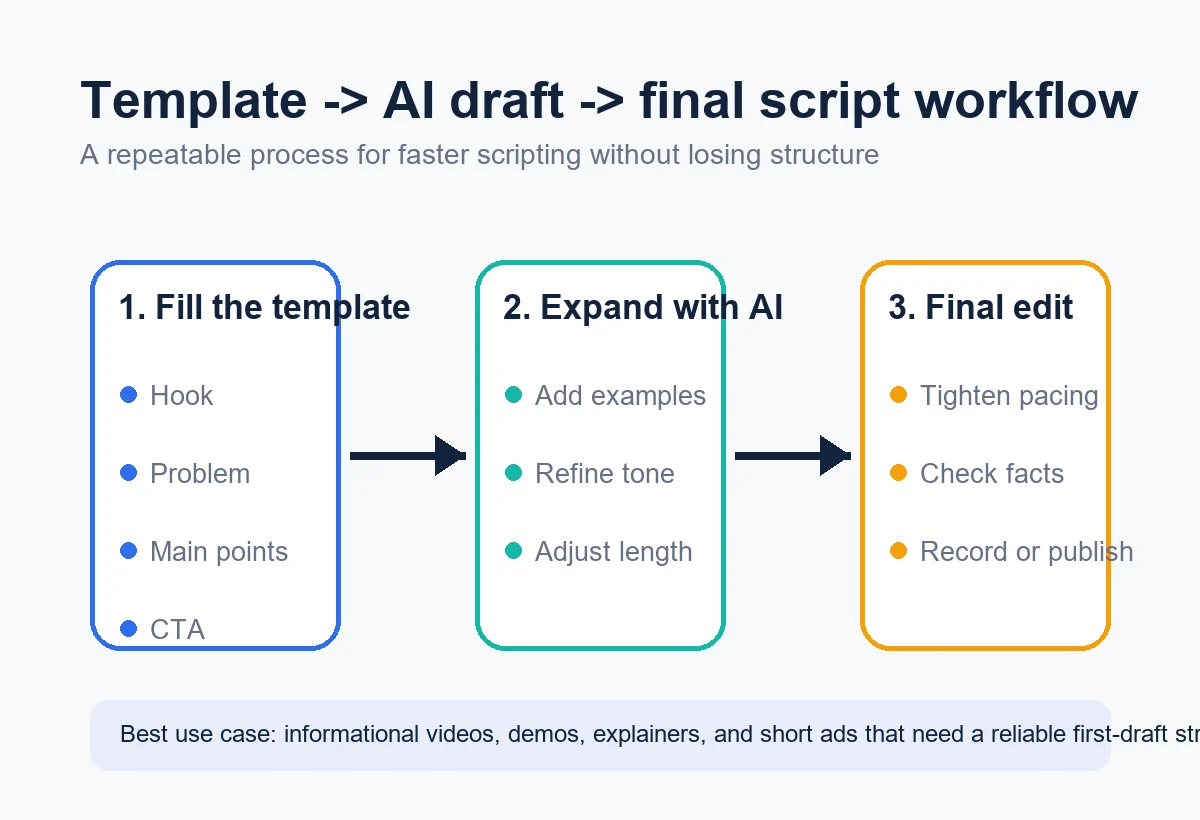
Esta pagina oferece uma estrutura reutilizavel, explica os blocos principais e mostra como transformar isso em um rascunho melhor com ajuda de IA.
What to copy first
If you need a working draft in minutes, copy the template below and replace the bracketed prompts with your topic, examples, and CTA.
Then run the draft through the free AI Script Generator to expand sections, add transitions, or convert it into a YouTube, ad, or tutorial script.
What a Strong Video Script Template Includes
Top-ranking pages for this topic consistently cover the same structural elements: hook, problem, solution steps, proof/examples, and CTA. What many of them miss is clear guidance on when to shorten or expand each block.
Use the table below as your default structure before you start writing or prompting.
| Template Part | Why It Matters | What to Write |
|---|---|---|
| Hook | Earn attention in the first 3-8 seconds | Lead with a result, mistake, or question your audience cares about. |
| Audience problem | Show the viewer this video is for them | Name the bottleneck, confusion, or outcome they want. |
| Main points | Deliver the actual value in a scannable order | Use 3 steps, 3 tips, or a before/after sequence. |
| Proof or example | Make the script believable and practical | Add a scenario, mini case study, metric, or workflow example. |
| Call to action | Tell the viewer what to do next | Subscribe, try the tool, download the template, or watch the next video. |
Free Copy-and-Paste Video Script Template
This format works best for YouTube explainers, tutorials, product demos, and short educational videos. Keep the bracketed prompts while drafting, then replace them with real copy.
Video script template
HOOK:
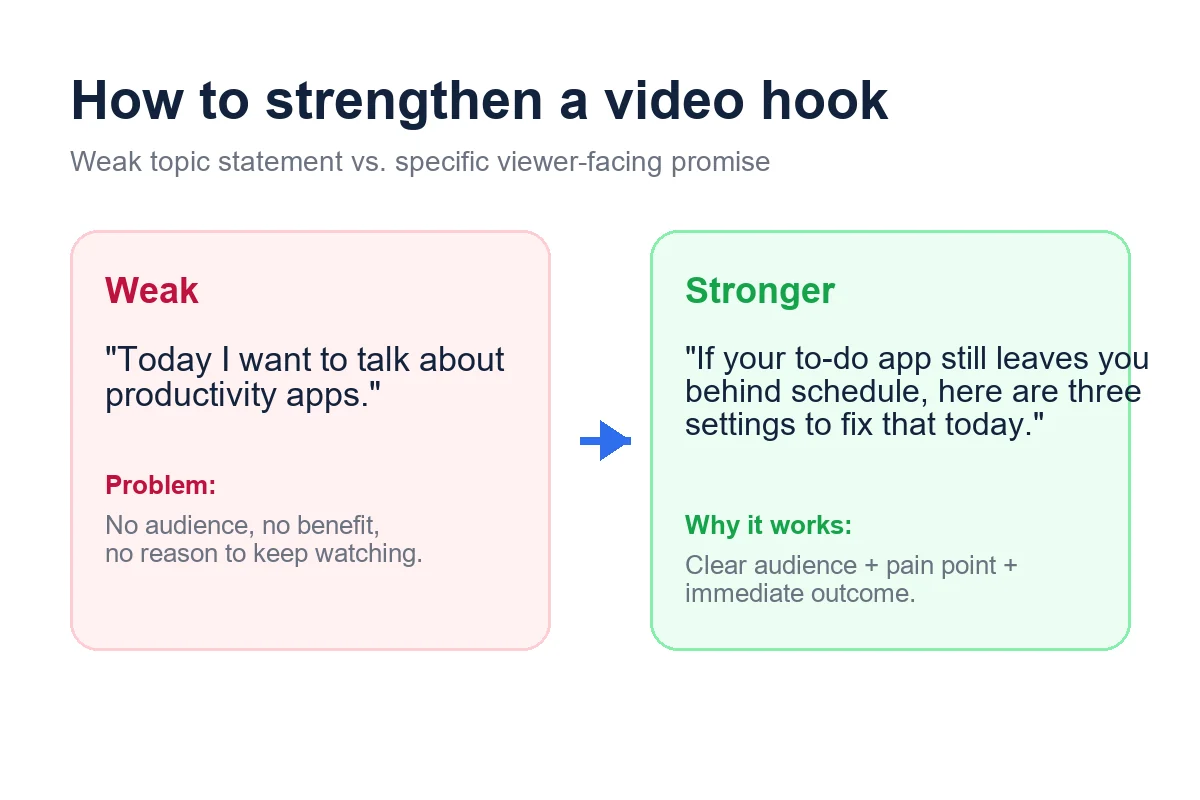
"If you want [result], but you keep getting stuck on [problem], this video will show you [solution]."

INTRO:
"I'm going to walk you through [topic] using [number] simple steps, plus [example/proof]."

POINT 1:
"First, [action or lesson]. This matters because [reason]. For example, [example]."

POINT 2:
"Next, [action or lesson]. Most people miss this because [mistake]. Instead, do [better approach]."

POINT 3:
"Finally, [action or lesson]. If you do only one thing after this video, do [priority step]."

WRAP-UP:
"So if you want [result], start with [first action], then [second action], and avoid [mistake]."

CTA:
"If you want help generating the full draft, open the free AI Script Generator and turn this outline into a finished script."
For a 30-60 second video, keep one main point instead of three. For a 5-10 minute video, expand each point with a story, example, or objection-handling line.
How to Customize the Template Without Losing Structure
Most weak scripts fail because they either stay too generic or they add too many ideas at once. Use these steps to adapt the template while keeping the flow clear.
-
Start with the outcome
Write the viewer result before the topic. This keeps the hook concrete instead of abstract. -
Choose one format
Tutorial, product demo, talking-head explainer, and short ad scripts each need different pacing. Decide the format first. -
Match the number of points to the runtime
Short videos need one big point. Mid-length videos can usually handle three points. Longer videos need sub-sections. -
Add proof early
A quick example, statistic, or first-hand result makes the video feel useful faster. -
Write the CTA before final edits
When you know the CTA, it becomes easier to shape the script toward a clear ending.
If you are scripting for a team, keep the structure fixed and only swap examples, claims, and CTA. That makes reviews much faster.
Examples by Video Format
The same template can support several video types if you change the emphasis of each section.
Best when the viewer is searching for a how-to answer or wants a topic explained clearly.
- Use a curiosity-driven hook.
- Keep the intro under 20 seconds.
- Add one concrete example per main point.
Best for software walkthroughs and feature launches.
- Open with the workflow problem.
- Show the product solving it step by step.
- End with a direct product CTA.
Best for a 15-60 second paid or organic promo.
- Lead with the pain point immediately.
- Cut down to one promise and one proof point.
- Use a single, direct CTA.
Common Mistakes to Avoid
Templates save time, but they also create predictable weak spots if you use them mechanically.
- Writing the hook last: If the opening is generic, retention usually drops before the value arrives.
- Adding too many promises: One clear outcome converts better than a long list of possible benefits.
- Skipping examples: The script may sound polished, but without proof it feels thin.
- Using the same CTA in every script: The CTA should match the video format and viewer intent.
When to Use an AI Script Generator Instead of a Static Template
A static template is enough when you already know the angle and just need structure. Use AI when you need help expanding a bullet list, rewriting the tone, localizing the script, or adapting one draft into multiple formats.
That is where AI Script Generator is useful: you can paste this outline, pick the video style, and instantly generate a fuller first draft without signing up.
Frequently Asked Questions
Use the Template, Then Improve the Draft Fast
The best video script template is not the one with the most sections. It is the one that gets you from blank page to clear structure quickly.
Use the copy-and-paste version in this guide when you need a repeatable format for YouTube videos, explainers, demos, or ads.
When you want a faster first draft or multiple variations, move the outline into AI Script Generator and let the tool do the expansion work.
Related resources
- YouTube Script Generator - Turn the template into a longer YouTube-ready script.
- Modelo de roteiro para YouTube Shorts - Use uma estrutura focada em gancho, desenvolvimento, resultado e CTA para vídeos curtos.
- Script to Screenplay Converter - Reformat plain drafts into screenplay structure.
- Best Free AI Script Generators - Compare tools if you want more than a static template.
References
- Backlinko video marketing resources - Example of how commercial SERP leaders package video script templates and structure guidance.
- Boords video script template resources - Useful benchmark for common sections users expect around a video script template.
Ultima atualizacao: 5 de junho de 2026