Movie Script Template: Free Screenplay Format for Film Scenes
A practical movie script template you can copy, customize, and use before turning an idea into a polished screenplay draft.

Table of Contents
Searching for a movie script template usually means you are past the idea stage. You have a scene, a short film concept, or a character exchange in mind, but you need the page to look and read like a screenplay instead of a loose story note.
The template below is built for that moment. It gives you the structure screenplays need while staying simple enough to use in Google Docs, Word, or any writing app before you move into dedicated screenwriting software.
Use it as a drafting framework, not a rulebook. A template can fix spacing and order, but the scene still needs a clear want, visible action, conflict, and a final beat that changes something.
What to copy first
Start with the copy-and-paste template below, then replace the bracketed prompts with your characters, location, conflict, and ending beat.
If you already have a story paragraph, use the template to organize it before expanding the draft with the AI Movie Script Generator or converting rough prose into screenplay form.
What a Movie Script Template Includes
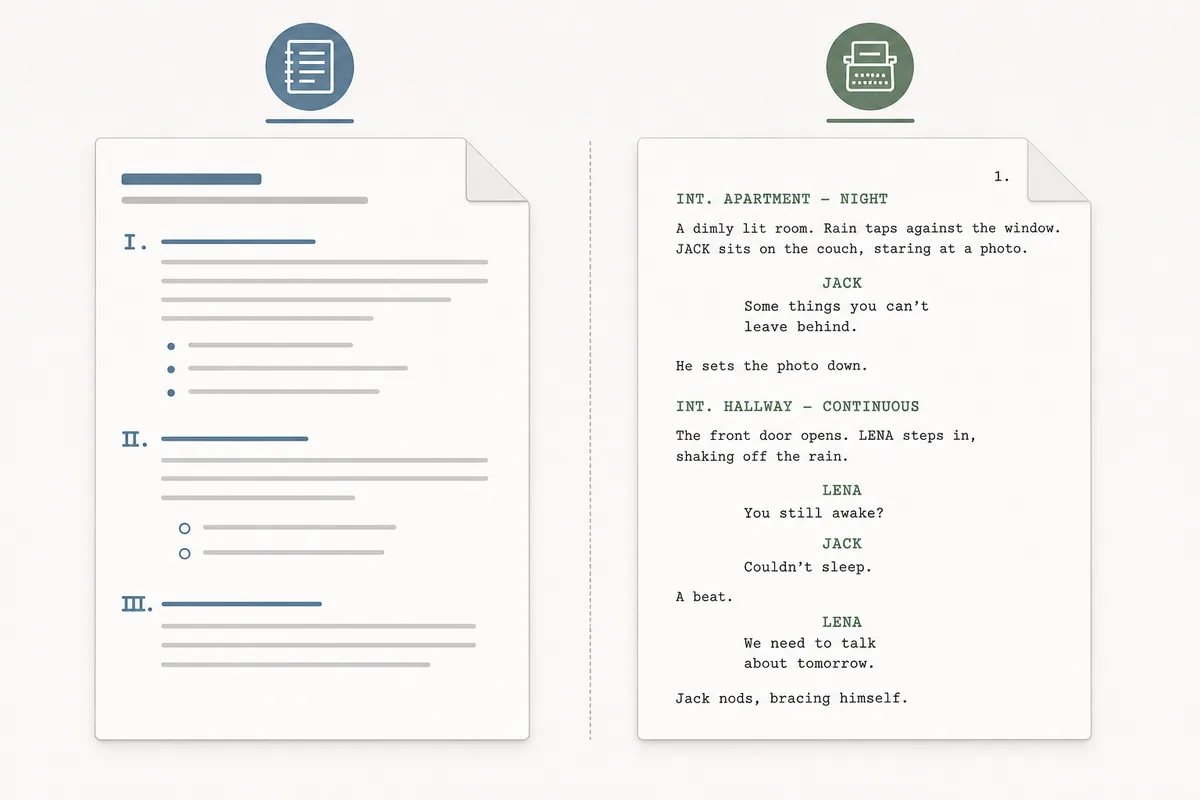
A movie script template is a repeatable screenplay layout. It tells you where to place the location, time of day, action lines, character names, dialogue, transitions, and notes so another reader can understand what will appear on screen.
The important part is not decorative formatting. It is clarity. A producer, actor, editor, or collaborator should be able to skim the page and know where the scene happens, who speaks, what the camera can see, and what changes by the end of the scene.
| Template Part | Purpose | Example |
|---|---|---|
| Scene heading | Sets location and time quickly | INT. APARTMENT - NIGHT |
| Action line | Shows only visible or audible action | Rain taps the window. Maya hides the letter in her coat. |
| Character name | Marks who speaks next | MAYA |
| Dialogue | Carries conflict, subtext, and decisions | You were never supposed to find this. |
| Revision note | Tracks what still needs work | Tighten the reveal, reduce exposition, check continuity. |
Free Copy-and-Paste Movie Script Template
Copy this structure into your writing app. Keep the bracketed prompts while drafting, then replace them with specific story details.
Movie script template
TITLE: [Working title]
GENRE / TONE: [Drama, comedy, horror, sci-fi, romance...]
SCENE PURPOSE: [What changes in this scene?]

FADE IN:

INT./EXT. [LOCATION] - [TIME OF DAY]

[Write 2-4 short action lines that show the setting, mood, and first visible action. Keep it filmable.]

[CHARACTER NAME]
[Dialogue line that reveals want, pressure, or conflict.]

[ACTION LINE: show the reaction, movement, prop, or interruption.]

[SECOND CHARACTER NAME]
[Dialogue line that pushes back, reveals information, or changes the scene.]

[BUILD: add a choice, discovery, obstacle, or reversal.]

[FINAL IMAGE OR BUTTON: what does the audience see at the end of the scene?]

CUT TO:

REVISION NOTES:
- What is the character trying to get?
- What is the conflict?
- Which lines can be shown through action instead?
- Is the ending beat visual?
For a one-minute short, keep one location and one change. For a five-to-ten minute short, repeat the same scene unit several times with rising pressure.
Screenplay Format Rules That Matter
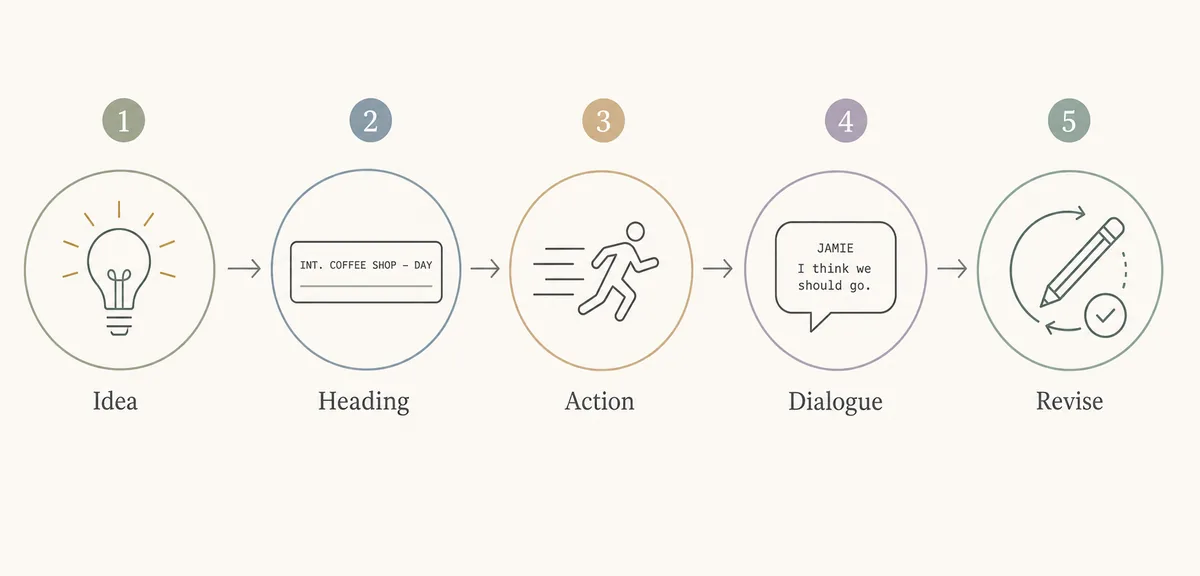
You do not need perfect studio formatting for an early draft, but you do need the pieces to be recognizable. Readers expect scene headings, action, character names, and dialogue to be visually distinct.
If you submit the script to a contest, production team, or class, check their exact formatting requirements. For private drafting, clarity and consistency matter more than obsessing over every margin in the first pass.
- Use scene headings for every new place or time: Start with INT. or EXT., then the location, then the time of day. This helps readers track production needs.
- Keep action lines visual: Write what can be seen or heard. Avoid explaining thoughts unless the audience can infer them through behavior.
- Make dialogue earn its space: Each line should reveal character, create pressure, or move the scene. Cut greetings and repeated information.
- Use parentheticals sparingly: A parenthetical can clarify a delivery, but too many become actor direction and slow the page down.
- Revise for page rhythm: A screenplay page should breathe. Break dense action into short blocks so the read feels closer to screen time.
Google Docs, Word, or Screenwriting Software?
Many people search for a Google Docs movie script template because it is easy to share. That is fine for early drafts, class projects, and quick collaboration, but a plain document can drift out of format as scenes get longer.
Use the table below to choose the right drafting environment before you invest hours in formatting by hand.
| Option | Best For | Watch Out |
|---|---|---|
| Google Docs | Fast collaboration, comments, and shared early drafts | Tabs and dialogue alignment can shift unless styles are carefully saved. |
| Microsoft Word | Printable drafts and custom styles you control | Manual formatting gets slow when the script grows beyond a few scenes. |
| Screenwriting software | Long scripts, production drafts, revisions, and exports | It may be more setup than you need for a quick scene or classroom exercise. |
| AI first draft | Turning a premise, beat list, or rough paragraph into a structured starting point | You still need to rewrite for originality, voice, format, and production constraints. |
How to Customize the Template Without Making It Generic
A template saves time only if you fill it with specific choices. Before you write dialogue, decide what the scene is trying to prove.
-
Name the change
Write the before-and-after of the scene in one sentence. If nothing changes, the scene probably needs a stronger turn. -
Limit locations and characters
A beginner-friendly short works better with one main location and two or three speaking roles. -
Choose one visible pressure
Use a deadline, secret, object, sound, visitor, or interruption to keep the scene active. -
Write action before explanation
Show the discovery, hesitation, lie, or choice through behavior before you explain it in dialogue. -
Revise the ending image
The final image should make the viewer understand what just changed, even before the next scene begins.
Once those choices are clear, the same template can support a short film, feature scene, web drama, class assignment, or proof-of-concept script.
Short Movie Script Example
Here is a compact example showing how the template turns a simple premise into a formatted scene opening.
FADE IN:

INT. EMPTY CINEMA - NIGHT

Rows of torn red seats face a blank screen. Rain leaks through the ceiling into a metal bucket.

MARA, 32, opens the back panel of an old projector and freezes. Inside is a strip of film labeled with tomorrow's date.

MARA
That is not possible.

The projector clicks by itself. One frame lights up on the wall: Mara, standing in the same room, older, mouthing a warning.

OLDER MARA (ON FILM)
Do not let it reach the end.

The reel begins to spin faster.

CUT TO BLACK.
Notice that the example does not explain the whole mythology. It gives the reader a location, a character, a visual discovery, one warning, and a clear reason to keep reading.
Common Movie Script Template Mistakes
Most template problems come from treating screenplay format like decoration instead of a tool for filmable storytelling.
- Starting with backstory: Open on a visible situation, then reveal background only when the scene needs it.
- Writing novel-style action: Long internal descriptions slow the page. Replace thoughts with choices, gestures, props, and reactions.
- Over-formatting the first draft: Margins matter later, but early drafts need a clear dramatic unit first.
- Letting every character explain the plot: Dialogue should sound like people under pressure, not summaries for the reader.
- Ending without a beat: A scene needs a turn, image, question, or decision that makes the next scene necessary.
When to Use AI for the Next Draft
Use a static movie script template when you already know the scene and need structure. Use AI when you need help turning a loose premise into beats, expanding a scene, rewriting dialogue, or converting prose into screenplay format.
The best workflow is usually hybrid: outline the scene with the template, generate a draft, then revise for voice, originality, production limits, and emotional logic. AI can speed up the blank-page phase, but your final pass should decide what stays.
Frequently Asked Questions
Start With Structure, Then Rewrite for Story
A movie script template is useful because it removes formatting friction. It gives your scene a recognizable shape so you can focus on character, pressure, action, and the ending beat.
Copy the template, write one focused scene, and then revise it like a filmmaker: what can the audience see, what does each character want, and what changes by the final image?
Related Tools and Guides
- AI Movie Script Generator - Generate a screenplay-style scene from a film idea.
- Script to Screenplay Converter - Turn a rough story, outline, or dialogue draft into screenplay format.
- Video Script Template - Use a separate template for YouTube, ads, tutorials, and product videos.
References
- Academy Nicholl Fellowships - Screenplay requirements - Useful context for writers who plan to submit screenplays to formal programs or contests.
- Wikipedia - Screenwriting - Background on screenplay writing conventions and terminology.
Last updated: June 28, 2026